
Gmail – You need to secure your account against attacks before it’s late.
A new Gmail phishing technique is around the town, probably first found early this month.
What is Phishing?
An old school yet highly successful way of giving away your password ( )to someone who is pretending to be, for example, a secure Google System (
 )
)
How does it work?
Well, it works pretty simply. You *voluntarily* put the password on a page that looks the same as the official sign-in. The page is planted by the hacker and you might have landed on it via an email link or a redirect from a dubious website or probably via a link on your favourite chat application.
How is new attack different?
Although the phishing attacks are easy to notice – given that if you look closely to your address bar (which shows the current webpage you are on), it will be one of these.
Checking the address bar; LOL, who does that?
For example http://gmail.givemeyourpassword.net/….. or even http://accounts.goog.lecom.net/……(pretty close huh?  )
)
or like this:

instead of:

The way the attack works is that an attacker will send an email to your Gmail account. That email may come from someone you know who have had their account hacked using this technique. It may also include something that looks like an image of an attachment you recognise from the sender. With your click, a fake Google Page comes up and the moment you enter the password, BOOM, you are phished.
This is what happens next – “The attackers log in to your account immediately as they have your credentials, and they use one of your actual attachments, along with one of your actual subject lines, and send it to people in your contact list.
For example, they went into one student’s account, pulled an attachment with an athletic team practice schedule, generated the screenshot, and then paired that with a subject line that was tangentially related, and emailed it to the other members of the athletic team.” – Source
Well, this is one such example of what can be done with the data.
What can be done to prevent these attacks?
Note1: If you don’t use a Gmail or a Google-powered account, never mind, you can still read on. The methods discussed here are common for most Gmail-like service e.g., Outlook, Yahoo, etc.
Actually, a lot of things;
Let’s break it down into few points. Points of sheer importance!
One: Using the InCognito for opening any external link
These attacks come to you, piggybacking on an email or these days on Whatsapp like Applications. Well, Gmail or any such service has the first line of defence: SPAM Filters. These unsolicited filters categorize Pretentious ones from your good emails – How does it do? That’s a long story.
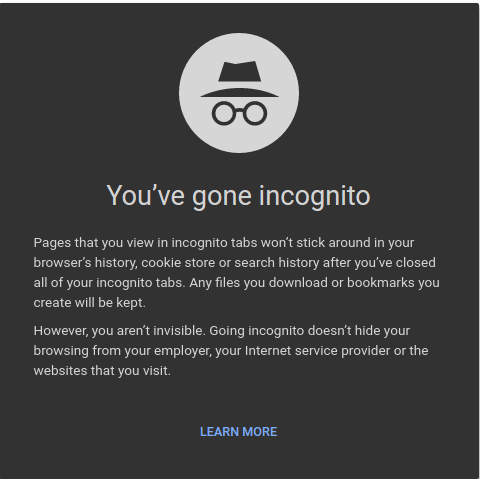
The common rule goes this way: Never open any link directly. The reason being, well, you never know what’s in the dark or the other side. Maybe a Virus/Malware/Spyware/Adware. Name it!.
By opening them directly, you help those anti-gens, feed on trails of your last sign-in (Caches and Cookies); use them to auto-login and steal vital information or take control.
And if you are like me who uses a Google Chrome-sign in, the problem becomes worse. Since it’s always signed-in, those anti-gens have a point blank strike. Any such link should be opened in “the Incognito mode” – private, wholly isolated tab – short-term memory friend.
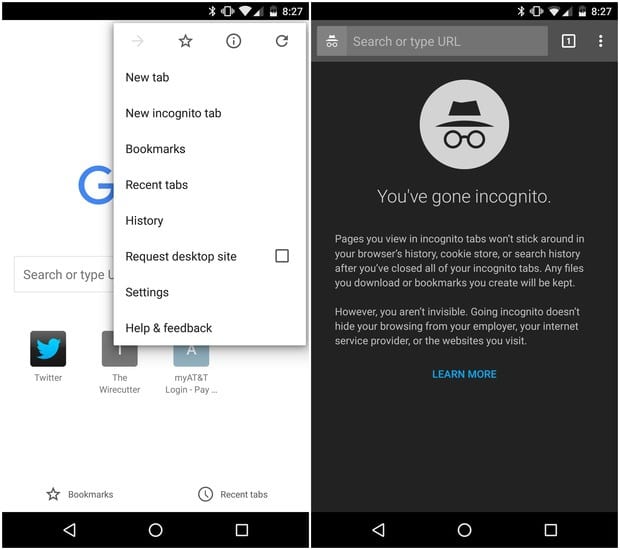
While using a mobile phone, you don’t get the benefit of multitasking as on a desktop. So, copy any such link, you get via the chat message, open Google Chrome for Android or any other browser with the same feature, navigate to an incognito tab and paste!. A little trouble saves your phone. (more info)
If you use Firefox, Private Browsing is same as InCognito and can be accessed using Ctrl+Shift+P. Most browsers come with this feature. Look around
Two: Add an extra layer of protection
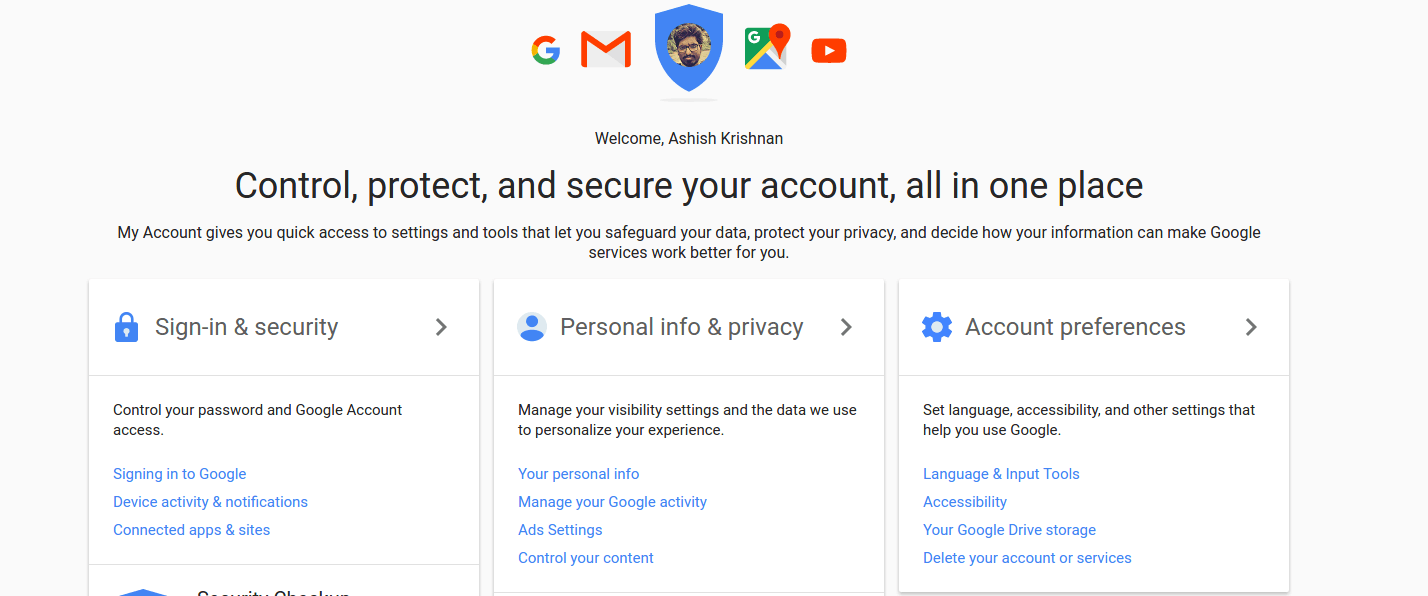
Have you ever checked your My Account page?. There are lots of security measures that you can leverage: From Two Factor Authentication (more like a OTP)
to the time based – Authenticator apps. Such measures help you put a double check or a 2 layer protection. Even if your attacker has your password, access to the account will be very much limited due to the randomness of the OTP or (2nd-factor key)
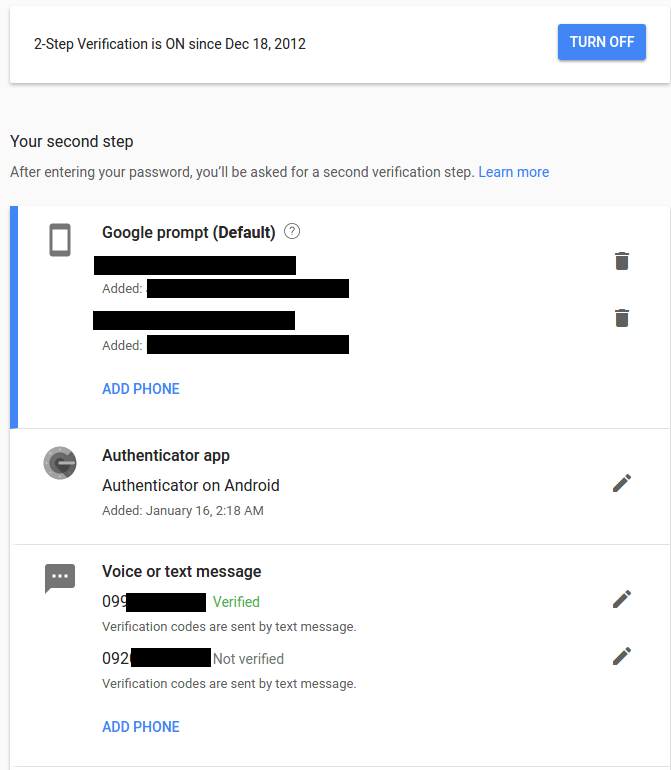
Head over to your My Account Page> Security to use Two Factor Authentication.
Three: Always see where are you ?
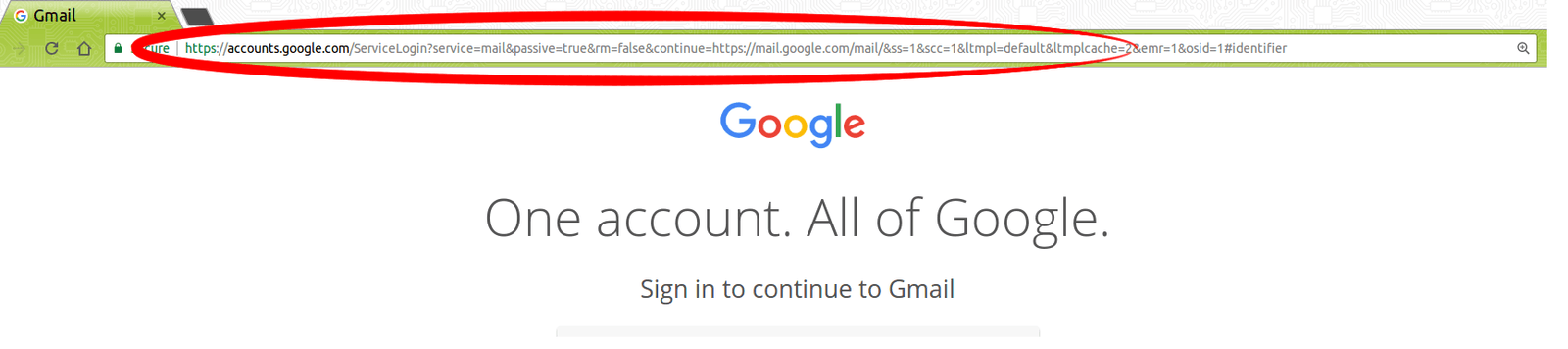
Watch the address bar very carefully, not only for Gmail. This applies to anything where you put your password. Banking websites to other social media.
Fourth: We are humans, we tend to forget. Let Google handle it for you!
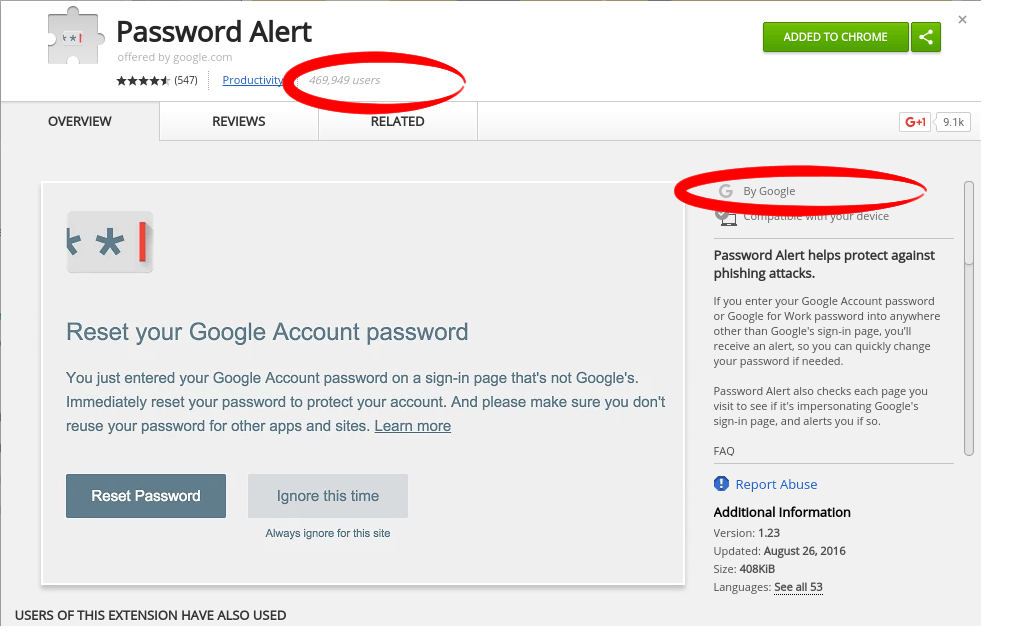
Well, we forget to check the address bar. Whether I am logging-in on a trusted page or a fake one. Sometimes, this requires a little intuition and a bit of experience.
For Gmail users, the main reason why this post was written, there is an official tool which helps you detect a fake or pretentious webpage.
For Chrome: https://chrome.google.com/webstore/detail/password-alert/noondiphcddnnabmjcihcjfbhfklnnep
Using this tool that comes as an extension for your Google Chrome, detects in real time, the moment you enter your Google password on a fake webpage. It warns you not to proceed and gives a set of options to deal with it.
TL; DR
With all that said, email is a daily thing for most of us. And especially Gmail – Google Mail System in an ecosphere of a Google connected environment – Android, Gmail, Search, YouTube, Keep, Drive….etc etc – all linked probably with the same id. It is very important to keep the account safe – NOT giving any backdoor to unethical elements to breed and steal data.
Have a safe stay on the Internet. Educate others.
With inputs from here
2 comments
Carried over from the old WordPress blog; comments are closed here.
Interesting and informative. 👍👌
Thank you 🙂